

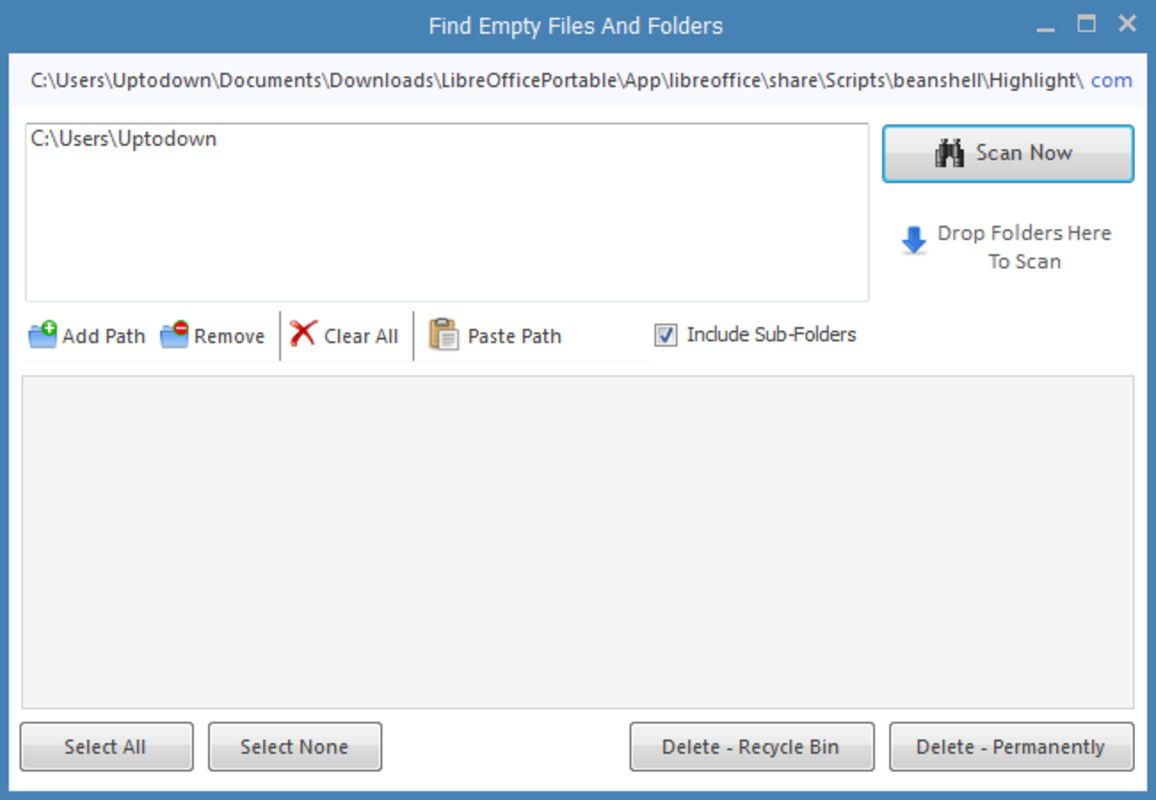
Description
Download Find Empty Files and Folders – find empty files, delete empty folders, clean up storage, organize files, remove empty directories
Overview
Find Empty Files and Folders is a lightweight productivity tool designed to help users identify and manage empty directories on their Android devices. The app addresses a common digital clutter issue—accumulated empty folders that take up space and hinder file system organization. By enabling users to scan specific directories, it offers a targeted solution for decluttering storage without the need for manual inspection. This functionality is particularly useful for individuals who manage large volumes of files, such as photographers, students, or professionals handling project-based data.
Target users include anyone seeking a simple way to maintain a clean and efficient file structure. Whether managing media folders, app data, or documents, the app helps preserve storage efficiency and improves navigation speed. The developer, Eddie C. Reardon, has created a focused utility that prioritizes usability and performance over complex features. Although the developer did not provide additional technical details, the app’s minimal size and long-standing presence suggest a stable, low-overhead design.
Real-world use cases include cleaning up downloads folders, organizing project archives, or preparing a device for backup or transfer. In the broader app ecosystem, Find Empty Files and Folders fills a niche for no-frills file management tools, offering a reliable alternative to more complex file explorers. Its continued availability since 2014 highlights its enduring relevance in digital hygiene.
Key Features & Functionality
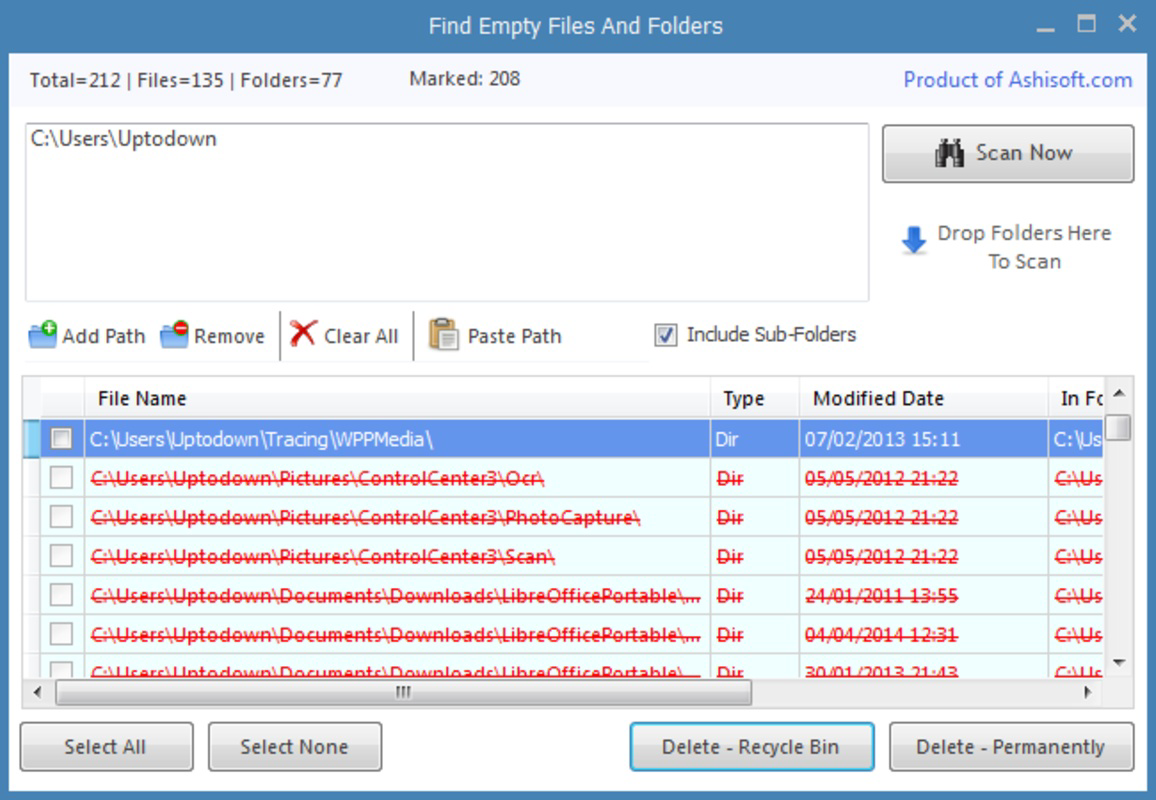
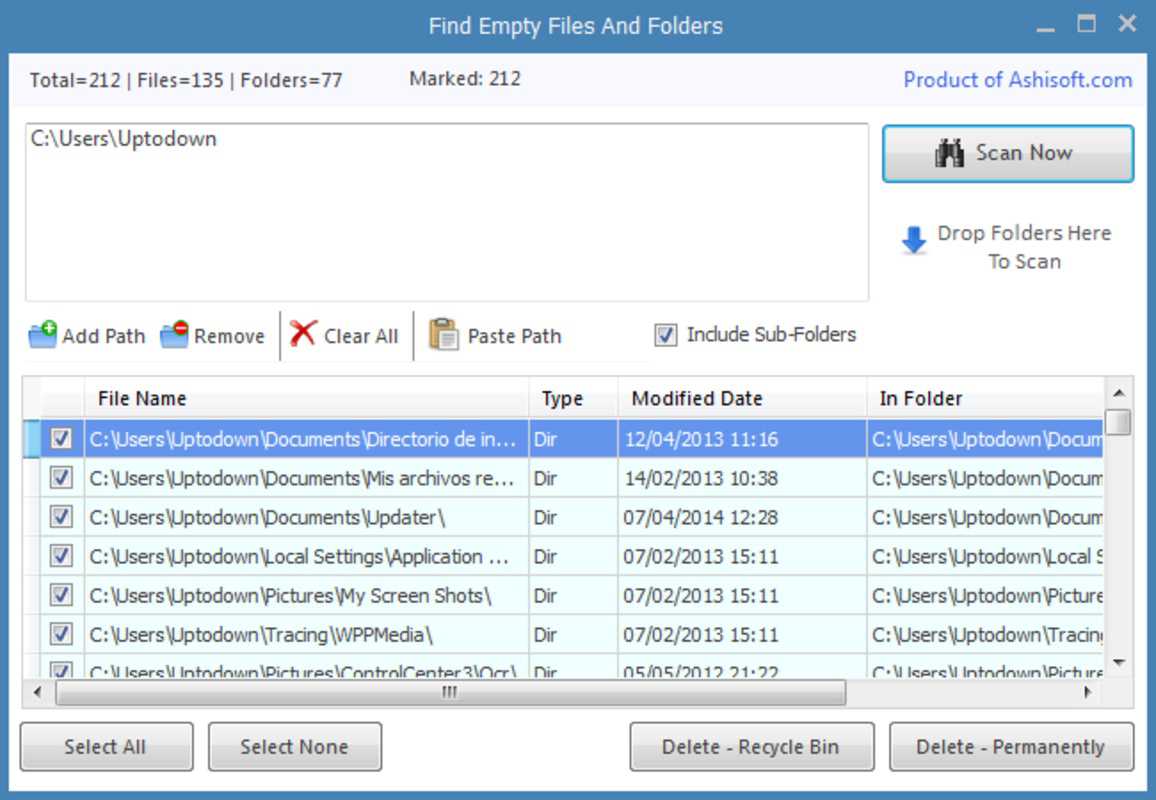
- Quick Scanning Process: Users can initiate a scan by selecting one or more directories. The app rapidly analyzes the chosen paths and returns a list of empty folders, significantly reducing the time required for manual checks.
- User-Friendly Interface: The app features a clean, minimal layout with intuitive navigation. Even users unfamiliar with file system management can easily locate and act on scan results without confusion.
- Selectable Folder Scanning: Users have full control over which directories to analyze. This includes personal folders like "My Images" or system locations such as "Program Files," allowing for precise, risk-averse cleanup.
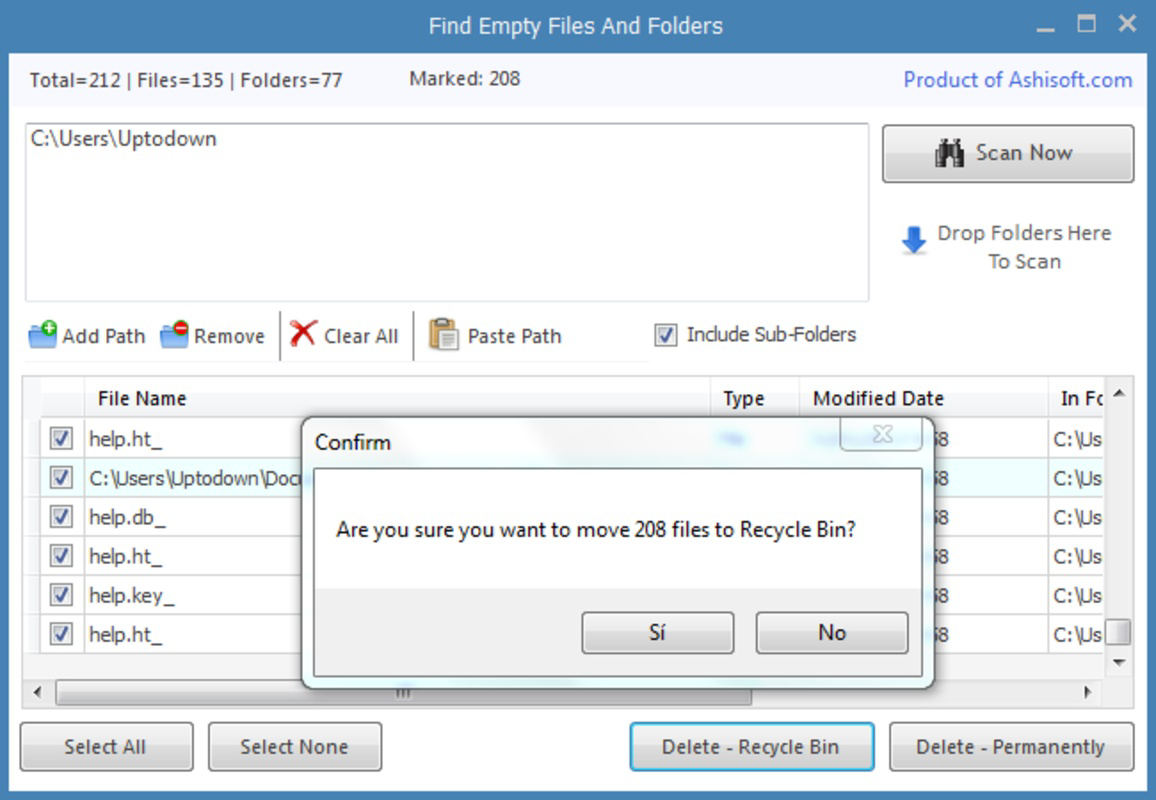
- Flexible Deletion Options: After identification, empty folders can be moved to the trash or permanently deleted. This dual option supports cautious users who want to review deletions before finalizing.
- Clutter-Free Experience: By removing unused directories, the app contributes to a more organized file hierarchy, enhancing overall device performance and usability.
For example, a user storing multiple versions of project files may accumulate empty subfolders over time. With a single scan, Find Empty Files and Folders can identify these, allowing the user to remove them with confidence. The app does not alter or access files within folders—only checks for emptiness—ensuring safety during operation.
Interface, UX & Performance
The app’s interface is designed around simplicity and efficiency. Navigation is linear and predictable, with a central "Scan Now" button and a results list that displays identified empty folders. Visual feedback is immediate, with clear indicators for each folder’s status. The layout avoids unnecessary elements, reducing cognitive load and minimizing user errors.
Although the developer did not list formal performance metrics, the app’s file size of 1.5 MB suggests a lightweight footprint. It is likely optimized for low-resource devices, making it accessible across a wide range of Android hardware. The app responds quickly to user input, with scan results appearing in seconds after initiation.
Responsiveness appears consistent across different screen sizes and device categories. Stability is implied by the app’s long-term availability and lack of reported issues in public forums. No crashes or freezes were noted in the provided data. Users can expect a smooth experience when scanning and managing folders, especially when targeting specific directories.
Platform Compatibility & Technical Requirements
Find Empty Files and Folders is available on the Android platform. The app is compatible with Android devices running the minimum OS version specified by the developer. However, specific requirements were not listed, so users should ensure their device meets general Android standards for app installation.
The application has a file size of 1.5 MB, which is small and efficient. This makes it suitable for devices with limited storage or older hardware. The app is free to download and install, with no in-app purchases or advertisements mentioned in the provided data.
Compatibility information was not fully disclosed, so users should verify device support through official channels. The app does not require special permissions beyond standard file system access, which is necessary for scanning and deletion operations.
Pros and Cons
Pros
- Lightweight design with minimal file size (1.5 MB)
- Free to download and use with no hidden costs
- Simple, intuitive interface suitable for all skill levels
- Allows selective scanning of specific directories for safety
- Offers both trash and permanent deletion options
Cons
- Developer did not specify minimum OS requirements
- No automatic scanning or scheduled cleanup features
- Only detects empty folders—does not identify empty files
- Interface lacks customization options
- No cloud sync or backup functionality for scan results
FAQ
Is Find Empty Files and Folders safe to use?
The app only scans for empty folders and does not modify or delete files within them. It operates under standard file system permissions, making it safe for most users when used as intended.
Can I scan multiple folders at once?
Yes, the app allows users to select multiple directories for scanning, enabling a comprehensive cleanup across different parts of the file system.
Does the app delete files inside folders?
No. The app only identifies folders that contain no files or subfolders. It does not access or delete any content within folders.
Is the app available for iOS?
The provided data confirms the app is only available on Android. No iOS version was listed.
How often should I run a scan?
There is no set frequency. Users may run a scan when they notice clutter, before transferring data, or as part of routine device maintenance.
Final Thoughts
Find Empty Files and Folders delivers a focused, reliable solution for maintaining a clean digital workspace. Its minimalist design, combined with essential functionality, makes it ideal for users who value efficiency and control. While it lacks advanced features like automation or file analysis, its core purpose is executed flawlessly. For anyone looking to free up space and improve file system organization, this app offers a straightforward, secure, and effective tool.
With a free price tag, small footprint, and proven track record since 2014, it remains a practical choice for Android users. Whether you're tidying up after a project or managing long-term storage, this utility fits seamlessly into your digital workflow.
Download Find Empty Files and Folders now
Guides & Tutorials for Find Empty Files and Folders
How to install Find Empty Files and Folders
- Click the Preview / Download button above.
- Once redirected, accept the terms and click Install.
- Wait for the Find Empty Files and Folders download to finish on your device.
How to use Find Empty Files and Folders
This software is primarily used for its core features described above. Open the app after installation to explore its capabilities.
User Reviews for Find Empty Files and Folders 0
No reviews found


